
Looking to build a website without spending a single rupee? This guide lists the top 14 best free website builders that let you create and publish your site with ease. Whether it’s for a personal project, small business, or blog, these tools offer ready-made templates, simple editing options, and free hosting. By the end, you’ll know which free website builder is the best fit for your needs this year.
Table of Contents
What to Look for in a Free Website Builder
Choosing the right website builder can save you time and effort. Before you start, check these important points to make sure the tool matches your needs.
- Easy to use – Simple drag-and-drop editor for quick setup.
- Good templates – Ready designs you can edit to match your style.
- Mobile-friendly – Works well on phones and tablets.
- Free hosting – No extra cost to publish your site.
- Custom domain option – Ability to add your own web address later.
- SEO tools – Helps your site appear in search results.
- E-commerce features – Support for selling products online if needed.
- No hidden limits – Clear rules on storage and bandwidth.
Review of the 14 Free Website Builders
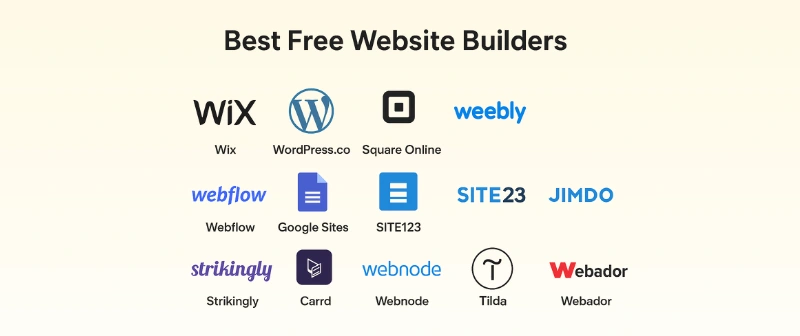
Here is the list of all the best 14 free website builders:
- Wix
- WordPress.com
- Square Online
- Weebly
- Webflow
- Google Sites
- SITE123
- Jimdo
- Strikingly
- Carrd
- Webnode
- Tilda
- Webador
- Canva Websites
Let’s cover each in detail.
1. Wix
Wix is one of the most popular free website builders in 2025. It offers a simple drag-and-drop editor, hundreds of templates, and built-in tools to make your site look professional. You can design any type of website, from a personal blog to a full online store.
Key Features:
- 900+ ready-to-use templates
- Drag-and-drop editing
- Mobile-friendly designs
- Built-in SEO tools
- App market for extra features
Limitations:
- Free plan shows Wix ads
- Uses a Wix-branded subdomain
- Limited storage and bandwidth
Best For: Anyone who wants creative control and an easy way to build a professional-looking site.
2. WordPress.com
WordPress.com is a flexible free website builder that works well for blogs, portfolios, and business sites. It gives you a wide choice of themes, built-in blogging tools, and options to expand your site when you need more features.
Key Features:
- Large collection of free and premium themes
- Built-in blog editor and media library
- Mobile-friendly layouts
- Basic SEO settings
- Community support
Limitations:
- Free plan shows WordPress ads
- Uses a WordPress-branded subdomain
- Many advanced features require an upgrade
Best For: Bloggers, writers, and small businesses who want a site that can grow over time.
3. Square Online
Square Online is a free website builder made for selling products and services. It connects directly with Square’s payment system, making it easy to set up an online store without extra tools.
Key Features
- Easy product listing and management
- Built-in payment processing with Square
- Mobile-friendly store layouts
- Basic SEO tools
- Inventory tracking
Limitations:
- Free plan shows Square ads
- Uses a Square-branded subdomain
- Limited design customization
Best For: Small businesses and entrepreneurs who want to start selling online quickly.
4. Weebly
Weebly is a simple website builder with drag-and-drop tools and built-in eCommerce features. It’s a good choice for beginners who want to create a personal site or small online store without much setup work.
Key Features:
- Easy drag-and-drop editor
- Ready-made, mobile-friendly templates
- Built-in online store options
- Basic SEO settings
- Free SSL security
Limitations:
- Free plan shows Weebly ads
- Uses a Weebly-branded subdomain
- Limited storage space
Best For: Beginners and small business owners who need a simple, ready-to-use site.
5. Webflow
Webflow is a powerful free website builder for people who want full design control. It combines drag-and-drop building with advanced design tools, making it popular among designers and developers.
Key Features:
- Fully customizable layouts
- Responsive design tools
- Built-in CMS for dynamic content
- SEO settings and controls
- No-code and custom code options
Limitations:
- Steeper learning curve than basic builders
- Free plan uses a Webflow-branded subdomain
- Limited site hosting on free plan
Best For: Designers, developers, and creatives who want advanced control over their site.
6. Google Sites
Google Sites is a simple, free builder that connects easily with other Google tools like Drive, Docs, and Calendar. It’s great for quick, no-fuss websites.
Key Features:
- Easy integration with Google Workspace
- Drag-and-drop content blocks
- Mobile-friendly layouts
- Collaboration and sharing features
- Free hosting included
Limitations:
- Limited design and customization options
- Free plan uses a Google Sites subdomain
- No built-in eCommerce tools
Best For: Simple personal sites, internal company pages, and school projects.
7. SITE123
SITE123 is a beginner-friendly builder that guides you through creating a website step-by-step. It’s ideal for people who want a fast setup without technical skills.
Key Features:
- Guided setup process
- Pre-designed, mobile-ready templates
- Built-in SEO tools
- Multilingual site support
- Free hosting included
Limitations:
- Free plan shows SITE123 ads
- Uses a SITE123-branded subdomain
- Limited design flexibility
Best For: Beginners who want to create a simple website quickly.
8. Jimdo
Jimdo is an AI-powered website builder that creates a site for you based on a few questions. It’s quick to set up and comes with built-in mobile-friendly designs.
Key Features:
- AI-assisted website creation
- Mobile-optimized templates
- Built-in online store features
- Basic SEO tools
- Free SSL security
Limitations:
- Free plan shows Jimdo ads
- Uses a Jimdo-branded subdomain
- Limited customization options
Best For: Users who want an easy, automated way to build a functional website.
9. Strikingly
Strikingly focuses on creating single-page websites that look modern and work well on mobile. It’s great for personal portfolios, event pages, and simple product showcases.
Key Features:
- One-page site templates
- Mobile-responsive designs
- Easy editing tools
- Built-in contact forms
- Free hosting included
Limitations:
- Free plan shows Strikingly ads
- Uses a Strikingly-branded subdomain
- Limited advanced features
Best For: Freelancers, creatives, and event organizers who need a clean one-page site.
10. Carrd
Carrd is a lightweight, simple builder for creating single-page websites and landing pages. It’s popular for personal profiles, link-in-bio pages, and small projects.
Key Features:
- Minimal, mobile-ready templates
- Easy drag-and-drop editing
- Custom domain option with upgrade
- Free SSL security
- Fast site loading
Limitations:
- Free plan shows Carrd branding
- Uses a Carrd-branded subdomain
- Not suitable for large multi-page sites
Best For: Personal landing pages, portfolios, and small campaigns.
11. Webnode
Webnode is a simple website builder that supports multiple languages, making it great for international projects. It offers quick setup and ready-made templates.
Key Features:
- Multilingual site support
- Mobile-friendly templates
- Built-in SEO tools
- Free hosting included
- Easy page editor
Limitations:
- Free plan shows Webnode branding
- Uses a Webnode-branded subdomain
- Limited storage and customization
Best For: Small businesses and personal sites targeting visitors in different countries.
12. Tilda
Tilda is a content-focused website builder that uses pre-designed content blocks. It’s ideal for blogs, portfolios, and storytelling websites.
Key Features:
- 550+ pre-designed content blocks
- Mobile-optimized layouts
- SEO tools and analytics
- Integration with payment systems
- Free SSL security
Limitations:
- Free plan shows Tilda branding
- Uses a Tilda-branded subdomain
- Limited free storage and pages
Best For: Bloggers, creatives, and businesses focused on content presentation.
13. Webador
Webador is an easy-to-use builder that offers quick setup with ready templates. It’s designed for simple business sites and portfolios.
Key Features:
- Simple drag-and-drop editor
- Mobile-friendly designs
- Built-in blog feature
- SEO settings
- Free hosting included
Limitations:
- Free plan shows Webador branding
- Uses a Webador-branded subdomain
- Limited advanced features
Best For: Small business owners and freelancers who need a basic site fast.
14. Canva Websites
Canva Websites lets you design a website with the same easy tools you use for Canva graphics. It’s perfect for visually focused sites.
Key Features:
- Hundreds of design templates
- Easy drag-and-drop editing
- Mobile-friendly designs
- Integration with Canva’s design tools
- Free hosting included
Limitations:
- Free plan shows Canva branding
- Uses a Canva-branded subdomain
- Limited interactive features
Best For: Visual portfolios, event pages, and simple business websites.
Comparison of the 14 Free Website Builders
The right free website builder depends on your goals. Some focus on design freedom, while others make setup quick and easy. A few are better for online stores, and others shine in blogging or portfolios.
Quick Comparison
- Wix – Best for creative control and flexibility.
- WordPress.com – Best for blogging and content-heavy sites.
- Square Online – Best for free eCommerce.
- Weebly – Best for beginners with small stores.
- Webflow – Best for designers who want custom layouts.
- Google Sites – Best for quick, simple team or school projects.
- SITE123 – Best for instant website creation.
- Jimdo – Best for beginners who want AI-assisted setup.
- Strikingly – Best for single-page websites.
- Carrd – Best for personal landing pages and portfolios.
- Webnode – Best for multilingual sites.
- Tilda – Best for content-rich, design-focused pages.
- Webador – Best for small business portfolios.
- Canva Websites – Best for visual and event-based sites.
Tips for Choosing a Free Website Builder
Picking the right free website builder is easier if you focus on your main goal. Keep these tips in mind:
- Know your purpose – Choose a builder that matches your website’s goal, whether it’s a store, blog, or portfolio.
- Check customization options – If you want a unique look, pick one with flexible design tools.
- Look at storage and bandwidth limits – Make sure the free plan gives enough space for your content.
- Consider branding rules – Some free plans show ads or use subdomains. See if you’re okay with that.
- Test ease of use – Pick a builder that you can manage without technical help.
- Plan for future growth – If you may upgrade later, choose a platform with affordable paid plans.
Conclusion
In this guide, we have covered the top 14 best free website builders and explored their key features, limits, and best uses. Each option offers something different, so your choice depends on your needs. If I had to pick one, Wix would be my favorite. It gives you maximum creative control, a wide range of templates, and enough tools to grow your site later.
That’s all from my side—now it’s your turn to pick the builder that fits you best. Scroll down to check the FAQs for quick answers before you start building.
FAQs
Here are some of the most commonly asked questions related to free website builders:
1. Are free website builders really free?
Yes, most offer a free plan with basic tools. You can make and publish a site without paying. But free plans often have limits like ads, subdomains, or less storage. You can upgrade for more features anytime.
2. Which free website builder is best for beginners?
Wix and Weebly are great for beginners. They have simple drag-and-drop editors and ready templates. You can make a site in hours without coding. They also have guides to help you learn fast.
3. Can I sell products with a free website builder?
Yes, some free builders allow small online stores. Examples are Square Online, Weebly, and Wix. You can list products and take payments, but features may be limited. Paid plans give you more selling tools.
4. Do free website builders work on phones?
Yes, most have mobile-friendly designs. Your site will adjust to fit any screen size. You can also edit your site from your phone with some builders. This is helpful if you work on the go.
5. Can I connect my own domain to a free website builder?
Usually, no—you need a paid plan for that. Free plans give you a subdomain like “yoursite.wixsite.com.” If you want a custom domain, check upgrade prices first.
6. Are free website builders safe to use?
Yes, trusted ones offer SSL security for free. This keeps your site and visitor data safe. Just make sure you pick a well-known and reliable platform. Avoid unknown sites that seem unsafe.
7. Can I switch builders later?
Yes, but it can be tricky. Moving a site often means rebuilding it on the new platform. To save time, choose a builder that you can stick with for the long term.