
A slow internet connection can disrupt streaming, online gaming, video calls, and remote work. The best way to know your actual speed is by using free tools to check internet speed. These tools show your download, upload, and ping results in seconds, helping you spot problems and improve your connection. All the options in this list are free, quick, and simple to use.
Table of Contents
How Internet Speed Tests Work?
Internet speed tests measure how fast data moves between your device and the test server. They check three main things:
- Download speed – how quickly you can receive data, like streaming videos or loading web pages.
- Upload speed – how fast you can send data, such as uploading files or sharing photos.
- Ping – the time it takes for data to travel to the server and back, important for gaming and video calls.
Your results can change based on the time of day, your location, and the device you use. Network traffic, Wi-Fi signal strength, and the test server you choose also affect the numbers.
Best Free Tools to Check Internet Speed
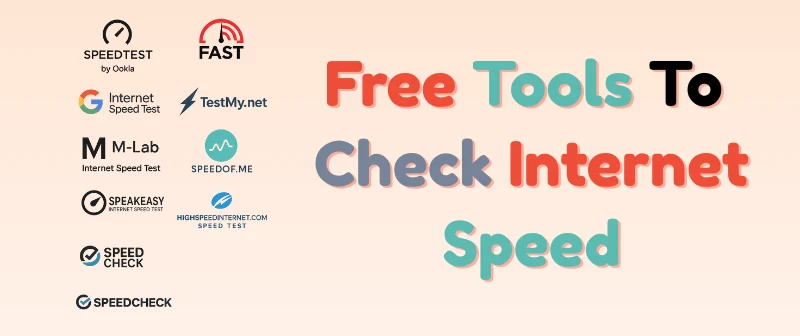
So, here are the best free tools to check internet speed:
- Speedtest by Ookla
- Fast.com
- Google Internet Speed Test
- TestMy.net
- M-Lab Internet Speed Test
- Speedof.me
- Speakeasy Internet Speed Test
- HighSpeedInternet.com Speed Test
- Speedcheck
Let’s cover each of them in detail.
1. Speedtest by Ookla
Speedtest by Ookla is one of the most trusted and widely used internet speed testing tools. It gives quick and accurate results, whether you use it on a browser, mobile app, or desktop. With servers around the world, it ensures you get a realistic measure of your connection speed.
Key Features:
- Tests download speed, upload speed, and ping in seconds.
- Lets you choose a server for more accurate results.
- Works on browser, mobile, and desktop apps.
- Keeps a history of your past test results.
- Offers a simple and clean interface.
2. Fast.com
Fast.com is a free internet speed test created by Netflix. It has a clean and simple design that starts testing your speed as soon as you open the site. This makes it perfect for quick checks without any extra steps or settings.
Key Features:
- Automatically starts the speed test when you visit the site.
- Shows download speed instantly.
- Option to view upload speed and latency.
- Works on both mobile and desktop browsers.
- Ad-free and very easy to use.
3. Google Internet Speed Test
Google Internet Speed Test is a fast and simple way to check your internet performance. Powered by Google Fiber, it gives accurate results without any extra ads or distractions. You can run the test directly from your browser in just a few seconds.
Key Features:
- Measures download speed, upload speed, and latency.
- Runs directly in your browser without extra setup.
- Clean and ad-free interface.
- Works on both mobile and desktop devices.
- Quick results powered by Google’s network.
4. TestMy.net
TestMy.net is a browser-based internet speed test that works without Flash or extra plugins. It offers separate tests for download, upload, and a combined test for both. The site focuses on accuracy by using real-world data transfer methods instead of simulations.
Key Features:
- Works directly in your browser without plugins.
- Offers download, upload, and combined speed tests.
- Provides detailed reports and comparison tools.
- Works on both mobile and desktop devices.
- Focuses on accuracy using real data transfers.
5. M-Lab Internet Speed Test
M-Lab Internet Speed Test is an open-source tool developed by researchers and supported by Google. It provides transparent and accurate speed results, making it a favorite for those who value data privacy and reliability.
Key Features:
- Measures download speed, upload speed, and latency.
- Fully open-source and free to use.
- Focuses on transparency and data accuracy.
- Works on both mobile and desktop browsers.
- Backed by researchers and Google for trusted results.
6. Speedof.me
Speedof.me is a browser-based speed test that uses HTML5, so it works smoothly without Flash or other plugins. It provides real-time graphs during the test, giving you a clear view of how your speed changes throughout the process.
Key Features:
- Uses HTML5 for smooth and plugin-free testing.
- Shows real-time graphs of your connection speed.
- Measures download, upload, and latency.
- Works on mobile and desktop devices.
- Great for checking speed consistency over time.
7. Speakeasy Internet Speed Test
Speakeasy Internet Speed Test is a long-standing tool for checking internet speed. It offers quick and simple tests with a choice of servers in different locations, making it easy to get accurate results based on your region.
Key Features:
- Tests download and upload speeds.
- Lets you choose from multiple server locations.
- Simple and user-friendly interface.
- Works on both mobile and desktop browsers.
- Reliable tool with a long history of use.
8. HighSpeedInternet.com Speed Test
HighSpeedInternet.com Speed Test is a straightforward tool that quickly measures your internet speed. It’s especially useful if you’re comparing your current speeds with what your internet provider promises.
Key Features:
- Tests download speed, upload speed, and ping.
- Simple and easy-to-use design.
- Works on both mobile and desktop devices.
- Useful for checking speeds before switching ISPs.
- Gives tips to improve slow connections.
9. Speedcheck
Speedcheck is a detailed internet speed testing tool that works on both browsers and mobile apps. It not only measures your speed but also provides advanced reports to help you monitor your connection over time.
Key Features:
- Tests download speed, upload speed, and ping.
- Works on mobile apps and desktop browsers.
- Provides detailed reports and history tracking.
- Simple interface for quick testing.
- Helpful for monitoring long-term internet performance.
Tips for Getting Accurate Internet Speed Test Results
To make sure your internet speed test results are correct, follow these tips:
- Restart your modem or router before testing to refresh the connection.
- Close all other apps and browser tabs that may use the internet.
- Disconnect unused devices from the network.
- Use a wired connection for the most accurate results.
- Test at different times of the day to see speed changes.
- Choose a server near your location when the tool allows it.
- Run multiple tests and compare the average speed.
When to Contact Your Internet Provider
You should contact your internet provider if your speed test results are consistently much lower than what you are paying for. Before calling, make sure you’ve tested your speed multiple times, at different hours, and with both wired and wireless connections.
Signs it’s time to call your ISP:
- Your download or upload speeds are far below the plan’s advertised rates.
- You experience frequent buffering, lag, or disconnections.
- The speed remains slow even after restarting your modem or router.
- Other devices in your home also have slow internet at the same time.
- Tests show poor results on both wired and wireless connections.
Final Thoughts
The tools we covered — including Speedtest by Ookla, Fast.com, Google Internet Speed Test, TestMy.net, M-Lab, Speedof.me, Speakeasy, HighSpeedInternet.com, and Speedcheck — are all reliable and free ways to check internet speed. Each has its own strengths, from quick checks to detailed performance tracking.
Testing your speed regularly helps you spot problems early and ensures you’re getting the service you pay for. Use these free tools to keep an eye on your connection and enjoy a smoother online experience.
FAQs
So, guys, here are some of the most commonly asked questions related to internet speed checkers:
1. How often should I check my internet speed?
It’s a good idea to check your internet speed at least once or twice a month. This helps you make sure you are getting the service you pay for. You should also test whenever you notice slow loading, buffering, or connection drops. Running tests at different times of the day gives a more accurate picture of your internet performance.
2. Which internet speed test is the most accurate?
Speedtest by Ookla is one of the most accurate tools available. It uses servers close to your location, which helps produce more precise results. The tool is reliable whether you use it on a computer, phone, or tablet. Many internet providers also recommend it for checking your actual speeds.
3. Why is my internet speed different at night?
Your internet speed can slow down at night because more people are online during peak hours. This high demand causes network congestion and reduces available bandwidth. If your ISP shares bandwidth among users, it can affect your connection. Testing your speed early in the morning or late at night may show faster results.
4. Can I test internet speed on my phone?
Yes, you can easily test your internet speed on a smartphone. All the tools listed work in mobile browsers, and many also have apps for iOS and Android. Just make sure you are connected to the network you want to test, whether Wi-Fi or mobile data. A stable connection will give you more accurate results.
5. Does using Wi-Fi affect speed test results?
Yes, Wi-Fi can give slower results compared to a wired connection. Signal strength, interference from other devices, and distance from the router can affect your speed. If you want the most accurate results, use an Ethernet cable. You can also run both Wi-Fi and wired tests to compare the difference.
6. What is a good internet speed for streaming?
For HD streaming, you need at least 5 Mbps, while 4K streaming works best with 15–25 Mbps or higher. A faster connection means smoother playback and less buffering. If you stream on multiple devices at the same time, you’ll need even more speed. Running a speed test can help you check if your connection is ready for streaming.
7. Why are my speed test results different on each tool?
Different speed test tools may use different servers and testing methods, which can cause variation in results. The distance between your device and the server also affects the speed. Some tools measure more detailed metrics, while others focus on basic download and upload speeds. Running multiple tests and comparing the average will give you the most accurate picture.