
Hey sweeties, let’s get real—your password is the front door to your digital life. And if it’s weak, hackers can stroll right in.
Even in 2025, with all the high-tech tools we use, the easiest way for someone to mess with your account is still a bad password. One bad choice can cost you your social media, your bank info—or even your identity. That’s why learning how to create a strong password is still super important. We’re going to walk through everything you need to know—step by step—with no jargon, no confusion, and no boring fluff.
Table of Contents
So what are you waiting for? Let’s dive in
What Is a Strong Password?
A strong password is one that’s hard to guess and even harder to crack. In 2025, just using your name with a few numbers isn’t enough. To stay safe online, your password should be long, random, and unique for each account. No birthdays, no pet names, and definitely no “123456” nonsense.
It should mix uppercase and lowercase letters, numbers, and symbols, and avoid anything that can be found on your social media.
✅ Create a strong password example:
- T@xi!9Cray#Pine2 (Strong, 14 characters, random mix)
❌ Weak password examples:
- maria123 (Too personal and predictable)
- qwerty (Common pattern)
- password2024 (Overused and obvious)
Psychology Behind Bad Passwords
Let’s be honest—most of us don’t choose bad passwords because we’re careless. We do it because we want something easy to type and easy to remember.
But that’s exactly what hackers count on.
Why We Choose Weak Passwords
- Convenience wins over security
- We think, “No one’s going to hack me”
- Reusing one password feels easier than remembering ten
Patterns Hackers Know You Use
Hackers know the tricks:
- Adding “123” or “!” to the end
- Replacing “o” with “0”
- Using your pet’s or kid’s name
They have databases of millions of common passwords. Yours might be in it.
Habits You Need to Break
- Stop recycling passwords
- Stop thinking short = simple = safe
- Stop trusting your memory alone
You’re not lazy—you just need smarter strategies. And we’ll show you exactly how to build those in the next sections.
5 Tips to Create a Strong Password
Okay guys, if your password is still something like sana123 or pakistan786, we need to talk. Passwords are your first line of defense—and these 5 simple but powerful tips will help you create ones that are actually strong and secure.
- Use length > complexity
- Avoid dictionary words
- Make it unpredictable
- Use phrases and memory tricks
- Use a different password for each site
Let me provide detailed guidance on each aspect.
1. Go Long — Length Beats Complexity
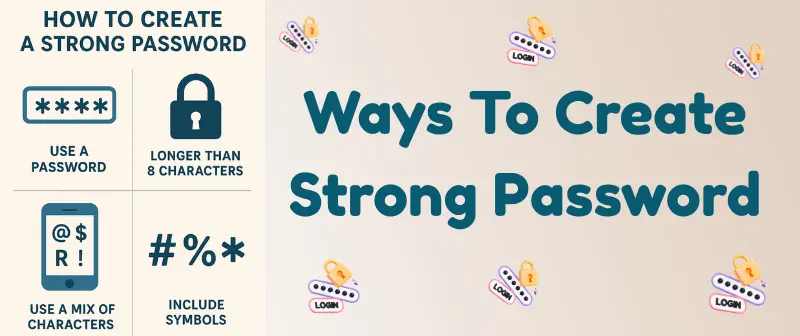
Forget the old “just add a symbol” advice. In 2025, long passwords are way harder to crack than short ones, even if the short ones have symbols. Try to use at least 12 characters. If you can go for 16 or more, even better.
Why it works: Every extra character makes it harder for hackers using brute force tools to guess your password.
Example:
- Weak: L0veYou1 (8 characters)
- Strong: RedSkyDances@Night12 (20 characters)
2. Skip Real Words
Using full dictionary words like sunshine, butterfly, or football might feel creative—but hackers literally use tools that try every word in the dictionary (and thousands of combinations) in seconds.
Why it works: Avoiding real words removes predictable patterns that hacking software relies on.
Example:
- Weak: sunflower123
- Strong: S8!nF_lWzR*
3. Be Totally Unpredictable
Passwords like 12345678, ali2020, or even qwerty are exactly what hackers guess first. Anything that looks “obvious” or follows a pattern is unsafe. Instead, mix uppercase letters, lowercase letters, numbers, and symbols in a random order.
Why it works: Unpredictable passwords break patterns and are impossible to guess without inside info.
Example:
- Weak: mehreen1999
- Strong: Rz#P!9uWqX8$
4. Use Phrases or Tricks That Only You Get
If remembering random letters and symbols feels too much, create a sentence that only you understand and convert it into a password using shortcuts, initials, or symbols. These are called passphrases, and they’re both secure and easy to remember.
Why it works: You remember it easily, but no one can guess it—because the logic behind it lives in your head only.
Example:
- Sentence: “My cat sleeps 14 hours every day!”
- Password: McS14hED!
5. Never Reuse Passwords
This one’s big. If you use the same password on every site, and one site gets hacked, hackers can use that password everywhere. Always create a new password for each account.
Why it works: One leak won’t take down your entire digital life.
Tip: Use a trusted password manager (like Bitwarden, 1Password, or LastPass) to safely store all your unique passwords.
How To Create a Password You Can Remember (Without Writing It Down)
Let’s be real—what’s the point of a super strong password if you forget it every time you log in? Good news: you don’t need to choose between secure and memorable.
You can absolutely learn how to create a strong password you can remember without writing it on sticky notes all over your desk.
Let’s break down some fun and easy ways to do that:
1. Tell Yourself a Story
Your brain loves stories. Turn your password into a short scene that only you know, then use the first letters, numbers, or symbols from that story.
Example:
- Story: “I adopted two cats in July 2021, and they sleep all day.”
- Password: Ia2ciJ21&ts@d
It may look random to others—but to you, it’s a full memory packed into symbols.
2. Use a Personal Pattern
Patterns are easy to remember when they’re based on things only you care about. It could be your favorite book, song lyric, or even a silly phrase you always say.
Example:
- Phrase: “Mango milkshake is better than coffee every day!”
- Password: Mm!>tc3vD!
Change up some letters for symbols and it becomes both strong and unforgettable.
3. Try Visualization
Close your eyes and picture a weird image in your head that links several things together. The weirder it is, the more your brain will remember it.
Example:
- Picture: “A lion wearing sunglasses dancing on the moon with 3 ice creams.”
- Password: L!wSunD@Moon3iC
Weird? Yep. Effective? Totally.
4. Build a Memory Palace (Made Simple)
A memory palace is just a mental space (like your room) where you “place” pieces of a password in certain spots. You walk through that space in your mind to recall the details.
How: Put “T” (for Tiger) on your bed, “7” on the shelf, and “@B” (at Ball) on the desk. Your brain follows the same route every time you need the password: T7@B!moon
It’s like hiding your password inside your imagination.
So if you’re wondering how to create a good password you can remember or how to make a secure password you can remember, this is the trick: don’t just type—think creatively. Your brain is your best vault.
Now go ahead and try making one you’ll never forget (and no, your birthday doesn’t count 😏).
Passphrases: Simple Yet Super Secure
Okay sweeties, let’s talk about passphrases—your new best friend when it comes to strong, unforgettable passwords. If random letters and symbols make your brain hurt, passphrases are the cheat code you need.
What Is a Passphrase?
A passphrase is like a password, but way longer and made up of multiple random words—often with a few symbols or numbers sprinkled in. Instead of P@55w0rd!, you use something like DancingTiger!Under_TheRain5.
It’s easier to remember, harder to crack, and feels more human.
Why Are Passphrases Better Than Traditional Passwords?
- Longer by default = way more secure
- Easier to remember = no sticky notes needed
- Hard to guess = random words are unpredictable
- Works great with or without special characters
Hackers can crack short, messy passwords in seconds using tools. But a random phrase like YellowDuck^Eats_Banana#22? That could take years to break—if ever.
Examples
❌ Weak password:
john2020 (personal, short, and obvious)
✅ Strong passphrase:
GreenHorse!Danced_7Times (fun, long, and hard to guess)
Want to make your own? Just think of a weird little story and turn it into a password.
Like: “The fox wore boots and sang at 9 PM” → FoxBoots9PM_Sings!
It doesn’t need to make sense to anyone but you.
Password Strength by Length: Anatomy Breakdown
Strong passwords aren’t just about randomness—they’re about smart structure and the right length. Let’s break down what makes a password secure by looking at how each part adds strength—and how length plays a big role.
8 Character Password: Small but Mighty
If you’re going with 8 characters (the bare minimum), every character must pull its weight. No names, no words, no patterns.
✅ 8 Digit Strong Password Example: T7@v9#zQ
Why it works:
- T = Uppercase
- 7, 9 = Numbers
- @, # = Symbols
- v, z, q = Lowercase letters
Everything’s random, nothing’s personal, and it covers all the key elements.
But fair warning: in 2025, 8 characters is the lowest you should go—and only if the site forces it. Longer is way safer.
12 Character Password: The Sweet Spot
Most experts recommend 12 characters for strong day-to-day passwords. It gives you room to mix symbols, letters, and numbers without going totally random.
✅ Create a Strong Password Example (12 Characters): G@laxy!72_Moon
Why it works:
- Length: 12 characters
- Uppercase + lowercase mix
- Symbols: @, !, _
- Numbers: 72
- Random words: Galaxy, Moon
It’s strong, creative, and way harder to crack than anything based on your birthday or pet’s name.
Avoid These Mistakes When Creating Passwords
Alright guys, we’ve talked about what to do—now let’s look at what not to do. These common mistakes might feel harmless or convenient, but they’re the reason so many accounts get hacked every day.
Don’t fall into these traps!
- Don’t use personal info like names, birthdates, or pet names.
- Avoid short passwords—they’re quick to crack.
- Never reuse the same password on multiple accounts.
- Skip obvious patterns like 123456, qwerty, or abcd1234.
- Don’t rely only on letters or lazy combos like Password123!.
- Avoid overloading passwords with random symbols you can’t remember.
- Don’t save passwords in notes apps, emails, or sticky notes.
- Avoid using real words from the dictionary—hackers test those first.
- Don’t use keyboard sequences like asdfgh or zxcvbn.
- Don’t fall for the “one strong password is enough” trap—mix it up!
Tools That Help You Build Strong Passwords
Guys, there are super handy tools out there to help you create a strong password, confirm its strength, and even save it safely.
Password Generators
These tools randomly generate long, complex, and totally unguessable passwords in one click. You can set the length, characters, and symbols. Some popular ones include:
- LastPass Generator
- Bitwarden Generator
- 1Password Generator
- NordPass Tool
You simply click generate, then copy-paste to create a strong password. Confirm it when setting up your account, and you’re done.
Password Strength Checkers
These are use to confirm either the password is weak or strong:
- How Secure Is My Password?
- Kaspersky Password Checker
They’ll test your password’s resistance against brute-force attacks and tell you how long it would take a hacker to crack it.
Online vs Offline Tools
- Online tools are easy and quick, but make sure the website is safe and encrypted.
- Offline tools (like KeePass) work on your computer without sending anything over the internet. Great for privacy nerds!
Using these tools means you don’t have to rely on guesswork. Whether you’re creating passwords for email, shopping, or Netflix—create a strong password, confirm it with a checker, and move on with confidence.
Should You Use a Password Manager?
Okay sweeties, let’s be real — remembering 20 different strong passwords is impossible. That’s where password managers come in. They remember everything for you — securely.
But are they worth it? Let’s break it down:
Pros of Using a Password Manager
- Stores all your passwords safely in one encrypted vault
- Auto-fills passwords on websites and apps — no more typing
- Generates strong passwords you don’t have to remember
- Syncs across devices, so your logins follow you
- Warns about weak or reused passwords
Cons to Consider
- If you forget your master password, recovery can be tough
- You’re trusting a third party — choose a trusted provider
- Free versions may be limited in features or devices
- A single master password is still a risk if it’s weak.
Changing Passwords: How Often Should You Do It?
You’ve probably heard this one: “Change your password every 30 days.” But let’s be honest… does that help, or just make things harder?
Let’s clear the confusion.
Myth: You Should Change Passwords All the Time
This old rule was meant for ancient systems. In reality, constantly changing passwords often leads to:
- Weaker choices (like Pass1234, Pass1235, etc.)
- You forgetting more often
- No real security improvement if nothing’s been compromised
When You Should Change Your Password
- You got hacked or saw suspicious activity
- You reused a password on multiple sites
- A site you use reported a data breach
- You shared it (even by mistake)
- Your password is old, weak, or breaks the tips we discussed earlier
Quick Tip: If you’re using a strong password (or passphrase) and haven’t had a security issue — you’re probably fine keeping it. Just don’t use the same one on different accounts.
Final Checklist for Creating Strong Passwords
Always keep these things in your mind:
- Is it at least 12 characters long?
- Did you mix uppercase, lowercase, numbers, and symbols?
- Is it not based on personal info (like your name, birthdate, or pet)?
- Did you avoid real words or dictionary phrases?
- Is it unique (not reused on other sites)?
- Can you remember it using a story, pattern, or phrase?
- Did you use a passphrase if possible?
- If auto-generated, did you save it in your password manager?
- Did you test it with a strong password checker tool?
- If needed, can you easily change or recover it later?
Bonus tip: Want something easy to remember and super strong? Try combining a silly phrase with a number and a symbol — like: LazyTiger_Bounced3Times!
Final Thoughts
Alright sweeties, we’ve covered everything you need to know about how to create a strong password — from what makes one strong to how to actually remember it without going crazy. In today’s world, protecting your online life starts with something as simple as a solid password.
My personal tip? Start using passphrases with a fun twist — they’re easy to remember and tough to crack. So go ahead, clean up those old logins, use what you’ve learned here, and stay one step ahead of the hackers.
Catch you later — and stay safe out there!
FAQs
Here are some of the frequently asked questions related to creating strong passwords:
1. How to create a password in Windows 10?
Open Settings → Accounts → Sign-in options → Password. From there, click “Add” or “Change.” Use at least 12 characters, combining uppercase letters, lowercase letters, numbers, and symbols.
2. How to create a strong password for Gmail?
In your Google account, go to Security → Password and update it. Gmail doesn’t allow weak passwords, so aim for a secure one with at least 12 characters. Never reuse old passwords across services — especially email.
3. What’s a good 8-digit strong password example?
While 8 characters is the minimum, it’s no longer ideal. But if that’s the limit, make it as complex as possible.
✅ T!grB1ke – uses upper/lowercase, number, and symbol
❌ Password, 12345678, or qwertyui – super weak
Still, we recommend going up to 12–16 characters if the system allows.
4. How can I create a strong password and remember it?
Use stories, phrases, or patterns. Example: “My cat sleeps on the 4th chair” → C@tSleeps4Chair!. This way, you get a password that’s both strong and memorable. Avoid random gibberish unless you use a password manager to store it.
5. What does ‘create a strong password confirm’ mean?
It means you’re being asked to enter the same password twice. This step checks for typing errors, especially useful when your password includes symbols or upper/lowercase combinations.
6. Can a 6-character password be secure enough?
Not really. Six-character passwords are too short for today’s security standards. Even with symbols, they can be cracked within seconds using automated tools. If possible, use at least 12 characters — more is always better.
7. What is the ideal length for a master password?
Your master password should be at least 16–20 characters long. It’s the key to all your saved logins, so it must be extra secure. Use a long phrase with symbols for safety and memorability: SkyD@wnsWith!Coffee2025 → solid and easy to remember.